Skip to content
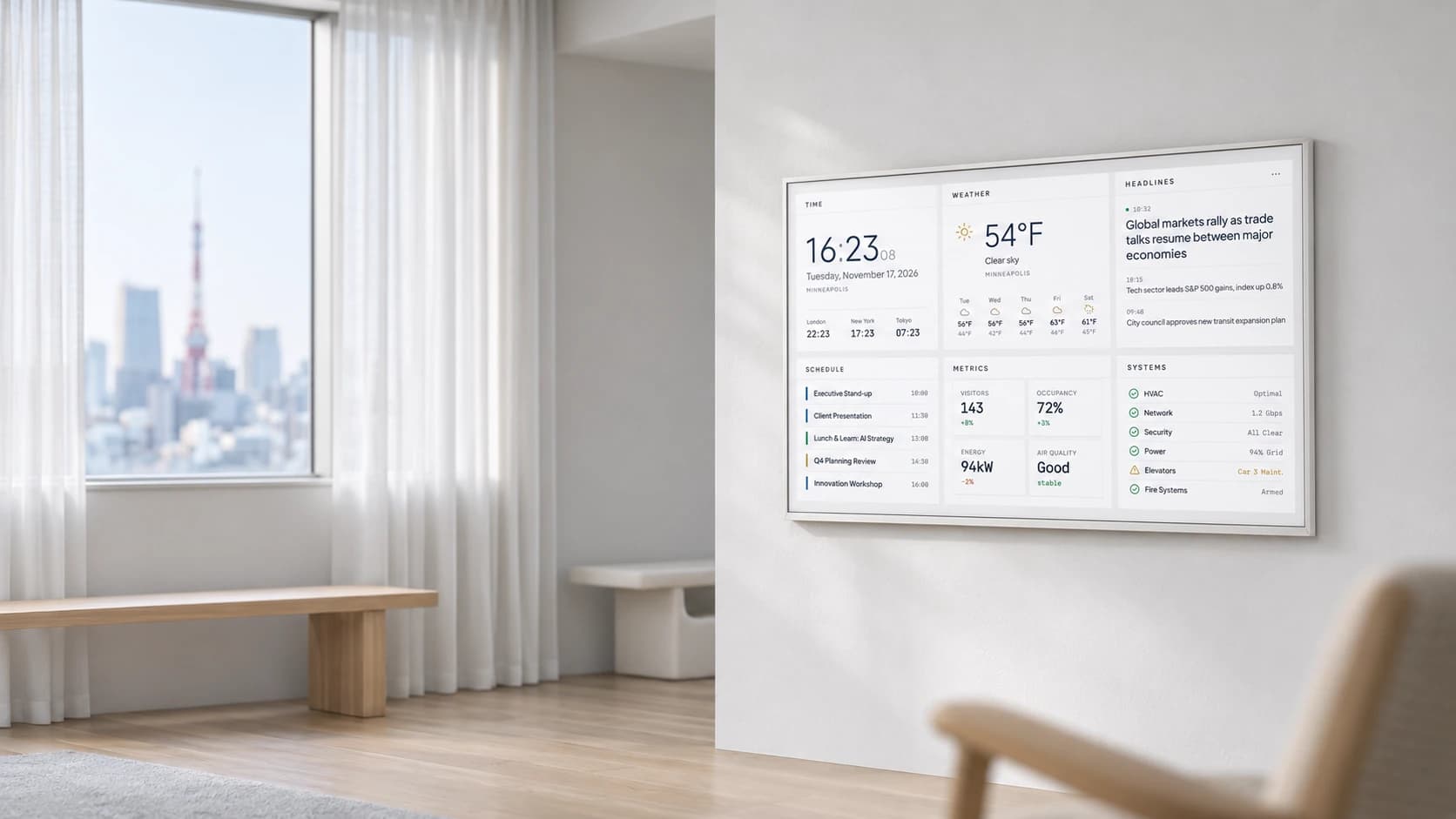
Aesthetica concept visualization of an information display on a white wall beside a daylight window

Aesthetica / Voyager Research

Aesthetica: People, Information, and Place

Aesthetica is our research lab for touch interfaces, environmental design, and data visualization. We design around the person, the setting, and the information they need—from a personal screen to a room-scale display.

Client
Aesthetica / Voyager Research
Engagement lead
Michael Kraabel
Shared experience: our team has worked on projects and led engagements for many clients over the years, and the lead named here brings that experience to every Voyager project.
Services
  • Interface Design
  • Environmental Design
  • Data Visualization
  • Research and Prototyping

What does someone need to understand, here and now?

Someone checking a phone can stop, tap, and read. A person passing a lobby display may have only a few seconds to notice useful information. A colleague working beside a desk display needs a clear summary without abandoning the task in front of them.

We use Aesthetica to research those differences. We begin with a person’s position, available attention, and immediate needs, then consider what an interface should show and how someone should operate it.

Explore the interface and the environment together.

We combine Companion touch-interface demonstrations, dashboard compositions, environmental concepts, and a website explaining the thinking behind them. We examine reading order, target size, feedback, viewing distance, and placement together rather than treating the screen as an isolated object.

The Invisible Display Hypothesis proposes that people could use information as a natural part of a room: available when they need it and unobtrusive when they do not. We use that proposition to guide prototyping and further research.

A research platform, not a claim of completed installations.

The environmental scenes and device mockups are concept visualizations. We include browser captures of the available website and interface demonstrations. We use example dashboard data to illustrate layouts, not to report measured customer outcomes.

Tableau and the room-scale applications remain product and environmental concepts in this study. We do not present them as shipping hardware, completed client installations, or evidence that the research hypothesis has been proven.

The story

How the work unfolded

Chapter 01 / 04

Start with the person touching the screen.

With Companion, we explore how someone can review tasks, calendar events, and messages in a clear sequence. People review a priority in the daily brief, use the agenda for context, and choose more detail through navigation.

We compare phone, tablet, and desktop presentations to examine what belongs on the first screen, what a tap should reveal, and how someone returns to the surrounding information.

Concept visualization of a person holding a tablet with the Aesthetica Companion agenda
Concept visualization: Companion within reach. The screen treatment illustrates the interface rather than reproducing every live detail.

Select image to enlarge.

Transparent phone concept mockup showing the Companion daily brief and agenda
Phone presentation concept. This generated mockup reconstructs a clipped screen edge; it is not a mobile-browser test.

Select image to enlarge.

Transparent tablet concept mockup showing the Companion agenda
Tablet presentation concept, with the transparent device background preserved.

Select image to enlarge.

Concept visualization of an Aesthetica dashboard tablet beside a notebook on a white desk
A desk-display concept for reviewing information alongside another task.

Select image to enlarge.

Chapter 02 / 04

Design for the distance, the room, and the activity.

A tabletop screen stays within reach. A framed display requires someone to read from farther away. A panoramic display requires a composition that people can understand at an architectural scale.

We use environmental concepts to examine viewing distance, orientation, daylight, materials, mounting, and surrounding activity. We ask where someone would stand, what they would notice first, and how much information they could reasonably absorb.

Aesthetica concept visualization of an information display on a white wall beside a daylight window
Environmental concept visualization—not a completed installation—exploring a wall display in daylight.

Select image to enlarge.

Environmental concept visualization of two visitors viewing displays in a white and pale-oak exhibition space
An exhibition concept for exploring orientation, imagery, and viewing distance.

Select image to enlarge.

Concept visualization of a curved panoramic display with abstract blue landscape imagery
A room-scale panoramic concept. The display imagery is illustrative.

Select image to enlarge.

Silver Tableau display concept showing a dashboard on a white tabletop
Tableau product concept—not manufactured or shipping hardware.

Select image to enlarge.

Chapter 03 / 04

Give each type of information a clear role.

In the dashboard demonstration, we organize time, weather, headlines, schedules, metrics, and system status. We use typography, spacing, color, and layout to establish a reading order across those different types of information.

Theme and layout controls let us compare emphasis. We consider what deserves attention, how long it should remain visible, and how someone should notice an update. Original interface captures accompany the device concept so viewers can distinguish the working demonstration from its presentation mockup.

Transparent landscape-tablet concept mockup showing the Aesthetica information dashboard
Dashboard presentation concept. The information shown is example content, not customer performance data.

Select image to enlarge.

Original browser capture of the Aesthetica minimal light dashboard demonstration
Original browser capture of the dashboard demonstration, supplied November 17, 2026.

Select image to enlarge.

Original capture of the Companion desktop interface within the website device-frame demonstration
Original desktop-frame capture. The right edge extends beyond the source viewport; the capture remains uncorrected.

Select image to enlarge.

Original capture of the Companion phone interface within the website device-frame demonstration
Original phone-frame capture from a desktop browser, not a mobile-browser test. The clipped left edge remains as supplied.

Select image to enlarge.

Original capture of the Companion tablet interface within the website device-frame demonstration
Original tablet-frame capture from the same interface demonstration.

Select image to enlarge.

Chapter 04 / 04

Connect the research with interfaces people can explore.

On the Aesthetica website, we present the research thesis, product concepts, intended environments, and interactive demonstrations. Visitors can read about ambient information, compare examples at different scales, and then examine an interface.

In the lab, we develop visual languages, compare interaction patterns, and explore how interfaces belong within physical settings. We consider both the person touching a screen and the person viewing it from across a room.

Laptop concept mockup displaying the Invisible Display Hypothesis research page
Research-page presentation mockup, based on the website capture.

Select image to enlarge.

Tablet concept mockup showing the Aesthetica Companion website
A tablet presentation mockup of the Companion website.

Select image to enlarge.

Phone concept mockup showing a responsive presentation of the Aesthetica homepage
A mobile homepage presentation concept—not an actual mobile-browser capture.

Select image to enlarge.

Original desktop-browser capture of the Aesthetica homepage
Original homepage capture supplied with the case-study package.

Select image to enlarge.

Original desktop-browser capture of the Invisible Display Hypothesis research page
The research proposition as presented on the website.

Select image to enlarge.

Original desktop-browser capture of the Aesthetica product-concept page
Original website capture introducing the product concepts.

Select image to enlarge.

Original desktop-browser capture of the Aesthetica Companion page
Original Companion page capture, separate from the generated device mockups.

Select image to enlarge.

Start your own voyage

Have a brand challenge, campaign, or big idea? Let’s create something remarkable together.